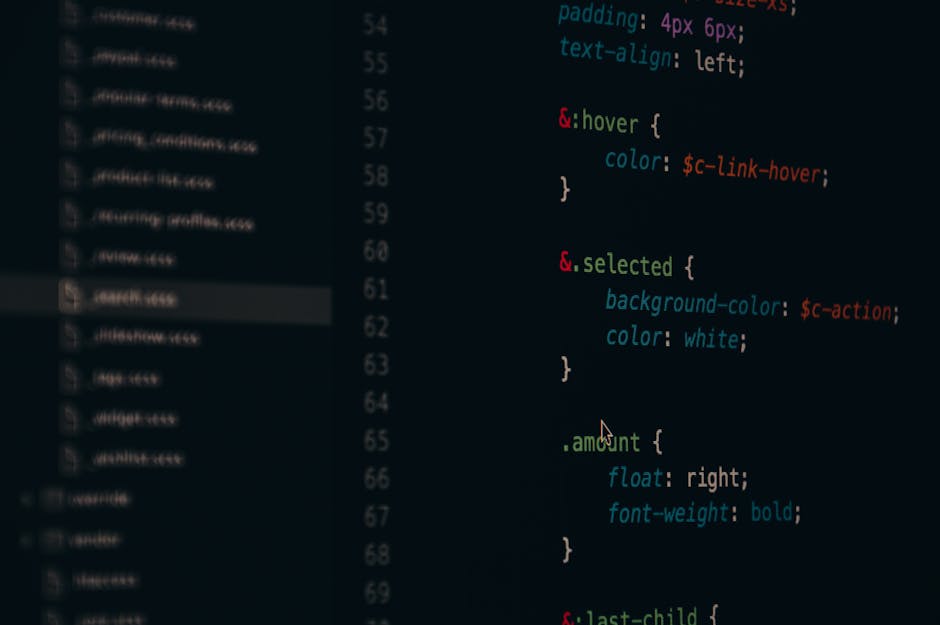
A CSS to SCSS converter is a developer tool that automatically transforms standard CSS stylesheets into SCSS (Sassy CSS) format, enabling the use of variables, mixins, nesting, and other advanced features that improve code maintainability and reduce redundancy in modern web projects. (Related: How to Self-Host WebAssembly Sandboxes for JavaScript Workers: A Kyushu Implementation Guide) (Related: URL Encoder Decoder Online – Free Tool for Developers) (Related: DNS Lookup Tool: The Complete Developer’s Debug Guide for 2026) (Related: GitHub Essentials for Developers: Common Questions Answered) (Related: Base64 Encoder: The Complete Guide to Encoding, Decoding, and Real-World Use Cases) (Related: The Best Regex Tester Online: A Complete Guide for Developers in 2026)
What is a CSS to SCSS Converter
If you have ever inherited a legacy codebase packed with thousands of lines of plain CSS, you already understand the pain of tracking down repeated color values, duplicated selectors, and deeply nested rules written the hard way. A CSS to SCSS converter eliminates that manual labor by parsing your existing stylesheet and outputting well-structured SCSS automatically.
At its core, the tool reads your CSS rules and applies a set of transformations. Repeated hex values become named variables. Related selectors get grouped under a shared parent using SCSS nesting syntax. The result is a file that compiles back to identical CSS but is dramatically easier to read, edit, and scale.
Modern converters can handle everything from simple single-file stylesheets to large multi-file component libraries. Whether you are working on a marketing landing page or a full design system, the conversion process is the same: paste or upload, click convert, copy the output.
Why Convert CSS to SCSS
What are the main advantages of using SCSS over CSS?
The advantages fall into four clear categories that matter to working developers:
- Variables: Define your brand colors, spacing units, and font stacks once. Change them in one place and the update cascades through every component automatically.
- Nesting: Write child selectors inside their parent instead of repeating the parent selector on every new line. This mirrors the HTML structure and makes the relationship between rules immediately obvious.
- Mixins and functions: Encapsulate patterns like media query breakpoints or flexbox centering into reusable blocks you call by name.
- Partials and imports: Split one giant file into logically separated modules — typography, buttons, layout — then compile them into a single optimized output.
Teams that modernize stylesheets automatically using a converter report shorter onboarding times for new developers, faster design token updates, and fewer bugs introduced during global style changes. The return on the few minutes spent running a conversion is substantial.
Can I automatically convert CSS files to SCSS?
Yes, and the process requires no manual rewriting. An online SCSS migration tool parses your CSS syntax, identifies repeated values and structural patterns, then generates valid SCSS. You do not need to install Node.js, configure a build pipeline, or run any command-line tools. For teams that are not yet set up with a Sass compiler, you can convert first and integrate the toolchain afterward at your own pace.
How to Use a CSS to SCSS Converter
Using an online tool to convert CSS to SCSS online is straightforward. Here is the typical workflow:
- Open the converter: Navigate to the CSS to SCSS converter tool. No account or installation required.
- Paste your CSS: Copy your existing stylesheet and paste it into the input panel. Most tools accept files up to several hundred kilobytes without issue.
- Configure options: Choose whether you want the tool to extract color variables, enable selector nesting, or convert shorthand properties. Not every project needs every transformation.
- Click Convert: The tool processes the input and displays the SCSS output in real time, usually in under a second.
- Review the output: Scan the generated SCSS for variable names and nested blocks. Good converters produce readable names like
$color-primaryrather than cryptic identifiers. - Copy and integrate: Paste the SCSS into your project, rename the file with the
.scssextension, and compile it using your preferred Sass build step.
If your project relies on precise byte-level optimization, you may also want to run the compiled output through a CSS minifier tool to confirm the final file size matches your performance budget before deploying.
For projects that deal with dynamic sizing and fluid typography, pairing SCSS variables with calculated values is a natural next step. Our px to rem converter makes it easy to generate the rem values you will want to store as SCSS variables right away.
Benefits of Modernizing Your Stylesheets
Running a full SCSS migration is not just a syntax upgrade. It is a structural improvement that pays dividends across the entire development lifecycle.
Faster design token updates: When a client changes their brand color, you update one variable. Without SCSS, you search and replace across dozens of files hoping nothing gets missed.
Cleaner pull requests: Because SCSS nesting mirrors component structure, diffs are smaller and easier to review. Reviewers spend less time context-switching between distant lines in a flat CSS file.
Better team scalability: Onboarding a new front-end developer is faster when the stylesheet is organized into meaningful partials with clear variable naming conventions.
Reduced specificity wars: Nesting encourages writing selectors at the component level rather than resorting to specificity hacks that become harder to override over time.
For teams working on multi-page applications, the CSS specificity calculator is a useful companion when auditing the output of a large-scale conversion to catch any selectors that may have gained unintended weight during restructuring.
Best Practices for SCSS Migration
A converter handles the heavy lifting, but a few practices will make your migrated codebase significantly easier to maintain long term.
- Name variables semantically: Rename auto-generated variables like
$color-1to something meaningful like$color-brand-primary. Descriptive names make the intent clear without opening the style guide. - Limit nesting depth: SCSS nesting is powerful but easy to overuse. Keep nesting to three levels maximum to avoid generating overly specific selectors that are difficult to override.
- Convert incrementally: On large codebases, convert one component or page at a time. Verify the compiled output matches the original CSS before moving to the next file.
- Use a linter from day one: Tools like Stylelint with SCSS plugins enforce naming conventions and nesting rules automatically, preventing technical debt from creeping back in.
- Commit the original CSS too: Keep your pre-conversion CSS in version control as a reference. If a visual regression appears after migration, you have an exact baseline to diff against.
Frequently Asked Questions
Will converting CSS to SCSS break my existing styles?
No. SCSS is a superset of CSS, meaning valid CSS is also valid SCSS. A well-built converter produces SCSS that compiles back to functionally identical CSS. Always compile and do a visual review on a staging environment before pushing changes to production.
Do I need a build tool to use SCSS after converting?
Yes, browsers cannot read SCSS directly. You need a Sass compiler to process the file into standard CSS. Popular options include the Sass CLI, webpack with sass-loader, Vite’s built-in Sass support, or Gulp. The setup is a one-time step and most modern frameworks include it out of the box.
Related: The Complete Favicon Generator Guide: Create Icons for Multiple Platforms in 2026
Related: npm Package Size Calculator: The Complete Guide to Reducing Bundle Bloat in 2026
Related: Color Code Converter: HEX, RGB, HSL Format Guide
See also: The Complete ASCII Code Lookup Reference for Developers in 2026
See also: API Response Time Calculator: The Complete Latency Budget Planning Guide for 2026
- Visual Studio Code — Essential IDE for developers using SCSS converters with built-in SCSS support, syntax highlighting, and extension ecosystem for streamlined conversion workflows
- Sass Official Documentation & Tools — The authoritative resource for SCSS/Sass development, providing official converters, libraries, and best practices for modern web development
- Node.js — Required runtime environment for running CSS-to-SCSS conversion tools and npm packages that automate stylesheet transformation processes
Related: CSS to SCSS Converter: The Complete 2026 Guide to Modernize Your Stylesheets
Related: CSS to SCSS Converter: The Complete Guide for 2026
Related: Free Geohash Encoder Converter: Complete Guide 2026