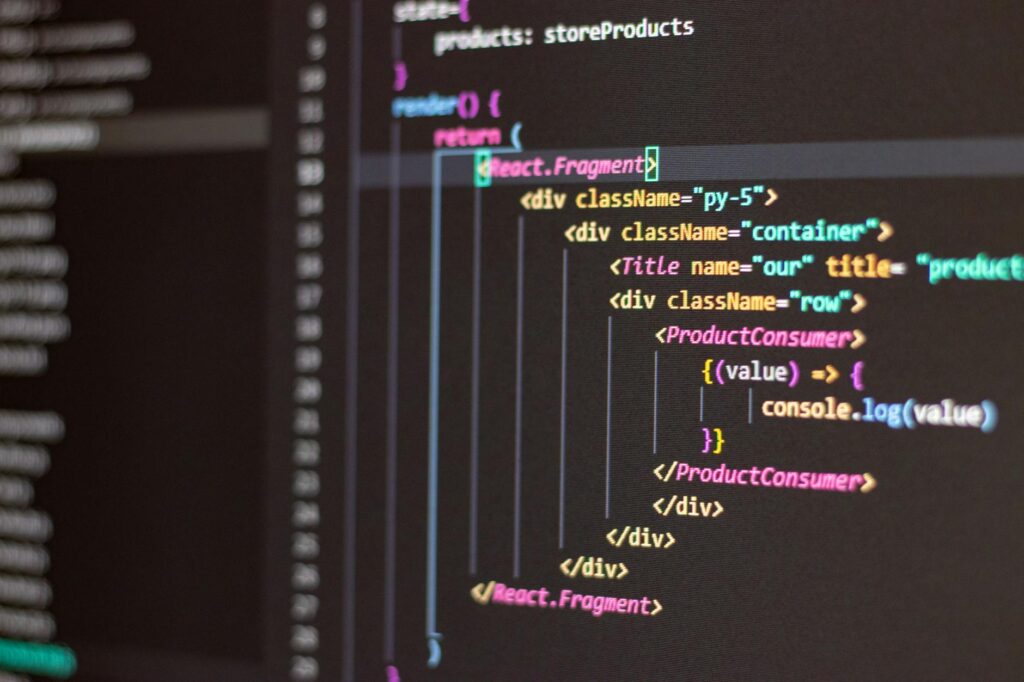
A GraphQL Query Formatter transforms raw, unformatted GraphQL queries into clean, readable code with consistent indentation, proper spacing, and organized structure. This tool is essential for developers working with complex schemas and mutations, reducing debugging time and improving code maintainability across teams. Whether you’re building APIs or consuming them, proper formatting ensures your queries remain legible and professionally presented.
Why GraphQL Query Formatter Tools Matter for Modern Development
According to the 2024 State of GraphQL report by Apollo GraphQL, 73% of developers working with GraphQL encounter schema complexity issues that directly impact query readability and team collaboration. When queries span multiple lines with nested fields, mutations with numerous input parameters, and fragments scattered throughout your codebase, manually formatting becomes time-consuming and error-prone.
A GraphQL Query Formatter eliminates these pain points by automatically:
- Aligning nested fields with consistent indentation
- Organizing arguments and variables logically
- Separating fragments and operations with proper spacing
- Detecting syntax errors before deployment
- Standardizing formatting across team codebases
The investment in formatting infrastructure pays dividends when onboarding new developers, reviewing pull requests, and maintaining API contracts over time. Readable schemas and mutations reduce cognitive load and make query optimization more straightforward for performance-focused teams.
Key Features of an Effective GraphQL Query Formatter
The best GraphQL Query Formatter implementations offer functionality beyond simple indentation. They provide:
Schema-aware formatting: The formatter understands your GraphQL type definitions and validates query structures against them. This catches field naming errors and type mismatches before runtime.
Customizable indentation rules: Teams can configure 2-space, 4-space, or tab-based indentation to match their coding standards. Some formatters also support line-length limits that wrap long argument lists intelligently.
Fragment consolidation: A GraphQL Query Formatter recognizes repeated fragments and can highlight opportunities to refactor and reuse them, reducing query size and network payload.
Mutation parameter organization: Complex mutations with deeply nested input objects benefit from formatters that organize parameters hierarchically, making input validation transparent and reducing errors during development.
Comment preservation: Professional formatters maintain developer comments and documentation within queries, essential for teams that annotate complex business logic directly in their GraphQL operations.
When evaluating formatter solutions, prioritize those that integrate seamlessly with your existing development workflow—whether through IDE plugins, CLI tools, or API endpoints that your build pipeline can consume.
Practical Applications of GraphQL Query Formatting in Production
In real-world development scenarios, a GraphQL Query Formatter becomes invaluable across multiple use cases:
API documentation: When you share formatted queries as examples in API documentation, developers understand the expected request structure immediately. Consistent formatting removes ambiguity about argument order, optional parameters, and field selection sets.
Performance debugging: Formatted queries are easier to analyze for N+1 query problems, over-fetching, and unnecessary field selections. When performance issues arise, readable queries help your team identify optimization opportunities faster than compressed, single-line equivalents.
Code review efficiency: Pull request reviews become faster when queries are formatted consistently. Reviewers can focus on business logic rather than parsing malformed syntax or inconsistent spacing.
Automated testing: Test suites that use GraphQL queries benefit from formatting consistency. Comparing expected query outputs against actual queries becomes reliable when both sides follow identical formatting standards.
Migration and refactoring: When updating schemas or renaming fields, a GraphQL Query Formatter helps identify all affected queries across your codebase. The formatted output makes it clear which queries require updates before you merge changes to production.
How to Use the Formatter Calculator Tool
To optimize your GraphQL query formatting workflow and understand the exact time savings in your development cycle, check out the Development Time Savings Calculator on DevUtilityPro. This tool helps you quantify how much time you’re currently spending on manual formatting and what efficiency gains you can expect after implementing an automated GraphQL Query Formatter.
The calculator considers factors like:
- Number of queries and mutations in your codebase
- Average lines per query
- Team size and code review frequency
- Current manual formatting time investment
Use these calculations to build a business case for formatter adoption within your organization and demonstrate ROI to stakeholders focused on development cost reduction.
FAQ: GraphQL Query Formatter Questions Answered
What’s the difference between a GraphQL Query Formatter and a code linter?
A GraphQL Query Formatter focuses specifically on readability and consistent styling—indentation, spacing, line breaks, and comment preservation. It transforms code structure for human comprehension. A linter, by contrast, enforces coding standards and catches potential errors like unused variables, deprecated fields, or schema violations. Many teams use both tools together: the formatter handles styling, while the linter catches logical issues before code review.
Can a GraphQL Query Formatter work offline, or does it require internet connectivity?
Most modern formatters offer both options. CLI-based formatters and IDE plugins typically work offline, analyzing and formatting queries on your local machine without external dependencies. Cloud-based formatter services offer additional features like collaborative formatting and schema validation against remote endpoints, but these require internet access. For security-conscious teams, offline-first solutions are preferable when handling sensitive API schemas or proprietary business logic.
How does a GraphQL Query Formatter handle custom directives and schema extensions?
Advanced formatters parse and preserve custom directives—like @deprecated, @auth, or @cost annotations—without breaking them or altering their intended meaning. When your schema includes custom directives for security, performance monitoring, or business logic, the formatter should maintain directive arguments and positions intact. Before choosing a formatter, verify it recognizes your custom directive definitions so they format consistently alongside standard GraphQL operations.
Does using a formatter slow down my development pipeline?
On the contrary—formatters typically add 50-200 milliseconds to build processes, while they save developers 10-30 minutes per week on manual formatting and debugging. The performance impact is negligible compared to compilation time for most projects. When integrated into pre-commit hooks or CI/CD pipelines, formatters catch formatting issues automatically and prevent style-related pull request feedback delays.
Related: GraphQL query formatter tool
Related: XML sitemap generator guide
Related: MD5 vs SHA256 hash fundamentals